Triple Place
How to Play
A Triple Place puzzle is represented as a grid with a "header row" at the top. To complete a Triple Place puzzle, you must fill in each square with a letter while obeying two rules:
- Each letter must appear once in each column.
- The squares in each row must be grouped into "triples", groups of 3 squares that each contain one another's header letters in a cycle.
A "triple" will have a structure like this:
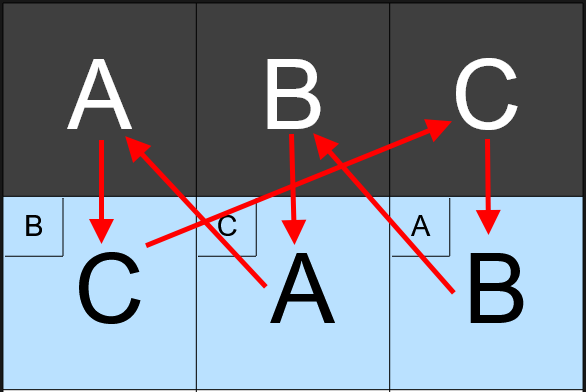
Here, column A contains letter C, column C contains letter B, and column B contains letter A, in a 3-element loop.
To place letters in the grid, press on the square you want to fill, then drag to the column of the letter that you want to fill into that square.
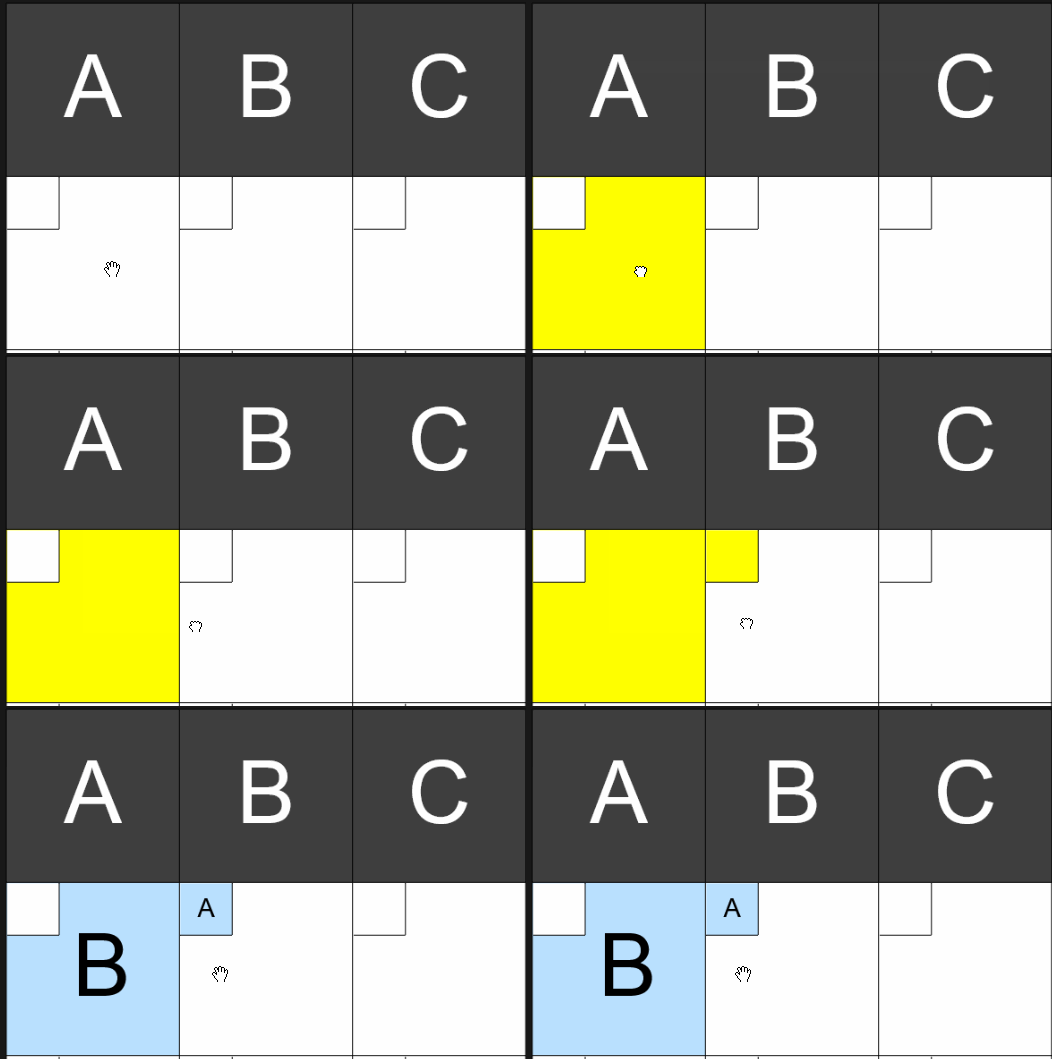
Once you fill in the second letter in a "chain", the third letter in the triple can be automatically deduced. For convenience, the third letter will be filled in automatically to complete the triple once the second letter is placed:
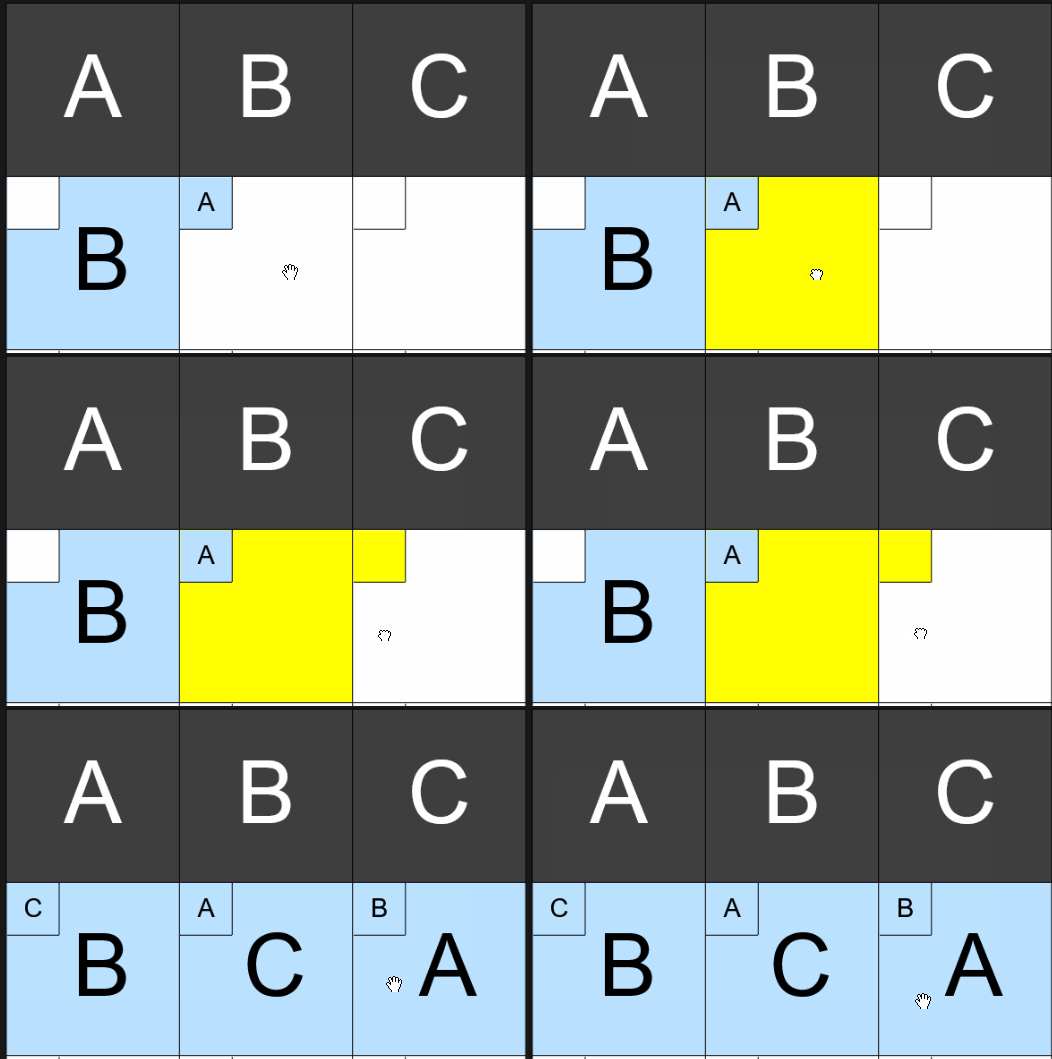
Backreferences
Each square has a smaller square in its top-left corner; this is called a "backreference box". When you fill in a square with a letter, the square under that header letter will automatically be populated with a "backreference".
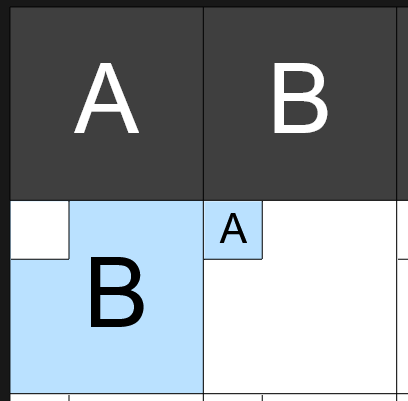
The backreference for a square in a particular column tells you which square in that row contains that column's header letter. Here, since the square in column A contains B, the backreference of the square in column B was populated with A. Backreferences help you look backwards through a chain or cycle, and they can be very useful for quickly completing puzzles.
For example, in this image, our square in column B has a backreference of A. Since we need to create a 3-cycle, we need to fill our column B square with some letter, and then fill the square in that letter's column with the letter A. This means that we can immediately rule out filling the column B square with the letter of any column that cannot accept the letter A.
It takes a little getting used to, but it's a very useful deductive shortcut. When trying to fill in a square that has a backreference, just look at its backreference and ask "which square in this row could accept this square's backreference as its contents?"
Tips
Although there are only two explicit rules of the puzzle, it's possible to derive additional rules of thumb that can be used as deduction shortcuts.
-
A square must not be filled with a letter if:
- The letter already appears in the row.
- The letter already appears in the column.
- Doing so would create a cycle of only 2 letters within the row.
- Doing so would create a chain of 4 or more letters within the row.
- The square has a backreference, but the column under the letter cannot accept the backreference letter (see: the backreference help for more details)
-
A square must be filled with a letter if:
- The square is the only blank square in the row, and that letter is the only unused letter in the row.
- The square is the only blank square in the column, and that letter is the only unused letter in the column.
- That letter does not appear in that square's column yet, but that square is the only blank square in the column in a row where the letter hasn't been used yet.
This is not a full list of deduction shortcuts and you may discover additional shortcuts on your own, but these cover most of the basic cases that you'll encounter.